
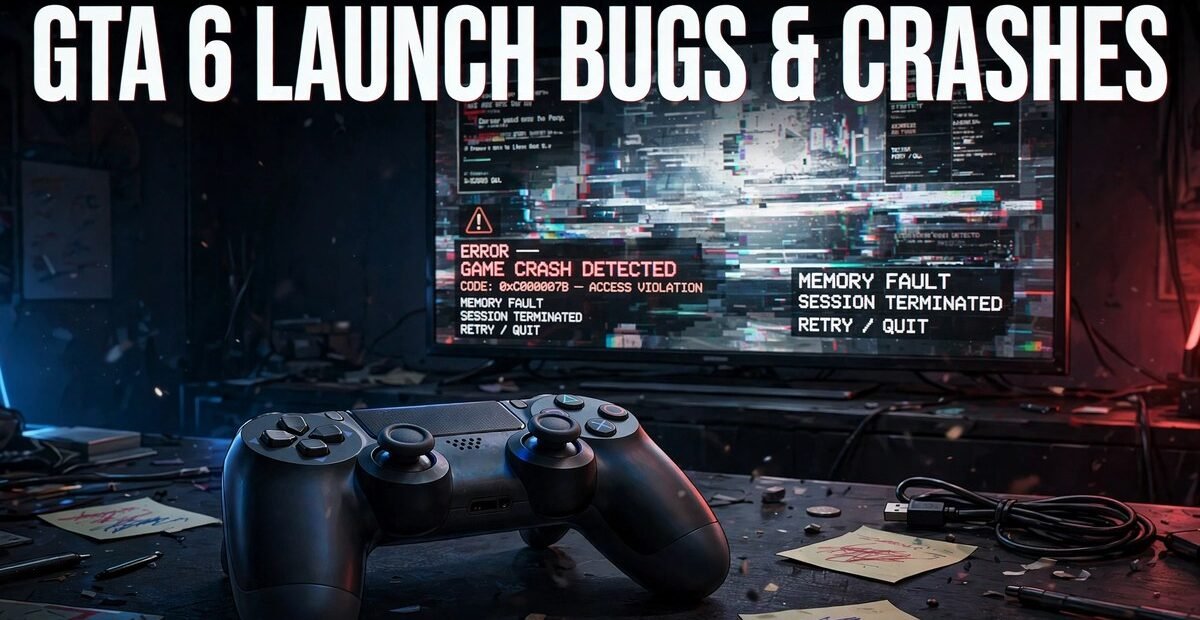

GTA 6 Launch Bugs and Crashes: CE-108255-1 Error, Fixes and What Rockstar Has (Not) Said
 By Nadeem
0 Comments
GTA 6 launched on 19 November 2026 to record-breaking sales, but for a slice of players the biggest open-world game ever made will not stay open for long. On PlayStation 5, a growing number of players report the game freezing, closing without warning, or crashing back to the dashboard with error code CE-108255-1. The pattern is frustratingly inconsistent: some people have played for dozens of hours without a single hiccup, while others cannot get through the prologue, and a few crash at exactly the same spot every single time. This is the full picture as of 22 November 2026, what the error actually means, which fixes players report, what Rockstar has said so far, which is very little, and what you should do if Leonida keeps kicking you out.
The first thing to understand is that CE-108255-1 is not a GTA 6-specific error code. It is a general PlayStation 5 system code, and Sony’s own description of it is the unhelpfully vague “An error occurred with the game/application.” In practice, that means the PS5 itself does not know, or will not say, what went wrong. The game stopped running and the system caught it. That is why the same code can appear for completely different underlying causes, from a corrupted file to a software conflict to a game bug, and why there is no single official fix that works for everyone.
What players are actually experiencing is more specific than the code suggests. The most commonly reported crash points are early in the game: the prologue sequence, and the Pipework mission, where one player reported crashing every single time at the plunger and sink section, no matter how many times they retried it. Others report crashes after roughly 40 minutes of play, as if something builds up over a session until the game gives out. Some players crash during heavy action scenes, which lines up with reports that the base PS5 can drop as low as 23 frames per second in the most demanding moments, though a frame-rate dip and a crash are different problems, and nobody has proven a direct link between the two.
How widespread is it, really?
The scale of the problem is genuinely hard to pin down, and honest reporting matters here. GameSpot, which covered the issue, says the problem does not appear very widespread. Most players are playing fine. A community-run tracker called GTA6BUGS had logged 91 bugs by 15:00 UTC on 19 November, of which 48 were confirmed by two or more players, none had been fixed, and around 19 percent were classed as game-breaking. That is a community tracker snapshot from launch day, not a current count and not an official tally, but it gives a sense of the shape of the problem: a long tail of issues, most of them minor, with a minority that can genuinely block progress.
The silence from Rockstar
It is also worth saying plainly what has not happened yet. As of 22 November 2026, Rockstar has still not commented publicly on the CE-108255-1 crashes. There is no known-issues list naming the error, no patch notes addressing it, and no new game update since launch. The latest version of the game is still 01.002.001, a roughly 602 MB download on PS5 and around 1.6 GB on Xbox, which arrived on 16 November, before launch day, with the earlier 1.002 update landing on 13 November. Nothing has shipped since.
That silence is the single biggest source of frustration in the community, and it is also the reason you should be careful about what you believe online: a viral claim that Rockstar has apologised and promised a big patch on 25 November is fake, and has been debunked. Do not plan around it, and do not trust social media posts that present a patch date as fact without a link to an official Rockstar or PlayStation source.
The two free checks to do first
Before trying any fix, it is worth doing the two checks that cost nothing and rule out the most common causes. First, make sure you actually have update 01.002.001 installed. On PS5, highlight GTA 6 on the home screen, press Options, and choose Check for Update. If the game shipped on your disc or finished downloading before 16 November and never updated, you may be running an older build. Second, make sure your PS5 system software is up to date. Version 26.07-14.23.00 is the required system software for GTA 6, and running older firmware is one of the few things Sony and Rockstar-adjacent sources consistently flag. Go to Settings, then System, then System Software, and check for an update. Neither step will fix a genuine game bug, but both are prerequisites for everything else, and both are free.
Restart properly, then Safe Mode
If the game is fully updated and still crashing, the next step most players try is the simplest one: a full restart. Close GTA 6 completely rather than just suspending it. Highlight the game, press Options, and choose Close Game, then restart the console itself from the power menu, not just put it into rest mode. Rest mode keeps the game suspended in memory, which is exactly the state you want to escape if something has gone wrong in a session. A cold restart clears temporary state and is the fix that, anecdotally, helps the largest number of people, even though nobody can say why it helps some and not others.
The next level of troubleshooting is clearing the console cache and rebuilding the database, both done from Safe Mode. To enter Safe Mode, turn the PS5 fully off, then hold the power button until you hear a second beep, about seven seconds in, and connect a controller with a USB cable. From the Safe Mode menu, choose Clear Cache and Rebuild Database. This does not delete your games or your saves, but it does rebuild the system database that tracks installed content, and it clears temporary cached data that can become corrupted. It takes a few minutes, and your console will restart when it is done. This is the fix Sony itself most often recommends for CE-108255-1 across games, which makes sense given that the code is a general system error rather than a GTA 6-specific one.
Reinstalling, and the second error code
If crashes persist after that, the last resort most players and support guides point to is deleting and reinstalling the game. This is the fix to try last, not first, because GTA 6 is an enormous download and reinstalling can take hours depending on your connection. It is also the fix with the most honest caveat attached: several players who tried it report that it did not help at all, which suggests their crashes are caused by a game bug rather than by their installation. Still, a reinstall is the one step that definitively rules out corrupted or incomplete game files, and for one related error it is the only answer.

A second code, CE-107891-6, has also been reported by some players, and Sony’s guidance for that one is explicit: it means the game did not install properly, and the fix is to delete the game and reinstall it. If you are seeing CE-107891-6 rather than CE-108255-1, skip the other steps and go straight to the reinstall, because there is no other workaround reported for that code.
The smaller things worth checking
There are a few other things worth checking while you are troubleshooting. Make sure the PS5 has enough free storage space, because a nearly full drive can cause strange behaviour in large games. Check that the console has good ventilation and is not overheating, since crashes after around 40 minutes of play can, in some cases, be heat-related rather than software-related. If you play with a disc, check it for smudges or scratches and make sure it is fully installed before playing.
One piece of advice that costs nothing and saves real frustration: save often. GTA 6 has an autosave system, but autosave checkpoints are not always where you expect them to be, and a crash can cost you an unguarded stretch of progress. Using manual saves through the pause menu before and after long missions means the worst a crash can do is send you back a few minutes rather than half an hour. It does not fix the crashes, but it makes them survivable while Rockstar works on a real answer.
Xbox is quieter, and that tells you something
The Xbox side of the story is quieter, which is itself useful information. There is no equivalent widely reported crash code on Xbox Series X or Series S, and the 1.6 GB update on Xbox appears to have landed without the same volume of complaints. That does not mean Xbox players have had a flawless launch. No launch of this size is flawless. But the CE-108255-1 problem, as reported so far, is a PlayStation story. If you play on Xbox and the game is crashing, the same general steps apply, check for the update, restart the console fully, and reinstall as a last resort, but the specific error code and the community discussion around it belong to PS5.
So what should you actually do, in order, if GTA 6 keeps crashing on your PS5? First, install update 01.002.001 and PS5 system software 26.07-14.23.00 if you have not already. Second, close the game fully and restart the console. Third, clear the cache and rebuild the database from Safe Mode. Fourth, and only then, delete and reinstall the game. If none of that works, the honest answer is that you are probably waiting on Rockstar. Report the crash through the in-game or Rockstar support channels with as much detail as you can, where it happens, how long you played first, and the exact error code, because that is what turns individual reports into a pattern Rockstar can act on.
The situation now
For now, the situation is stable but unresolved: the game is on version 01.002.001, the error is real and acknowledged by players and press but not yet by Rockstar, the reported fixes help some people and not others, and nobody outside Rockstar knows when the next update will arrive. If you are affected, work through the steps above, save often, and report what happens. If you are not affected, you are in the majority. Enjoy Leonida, and spare a thought for the players stuck on the Pipework mission, crashing at the same sink, every single time.
GTA 6 Voice Cast: Dylan Rourke as Jason, Manni L. Perez as Lucia, and Every Actor Revealed
Rockstar Games kept the cast of Grand Theft Auto VI a secret for years. Through two trailers, a year of…
Read More →
GTA 6 PS5 vs PS5 Pro vs Xbox: Performance, Frame Rate and Is the Pro Worth $899.99?
GTA 6 is finally out, and the question every console player has been asking for years now has a definitive…
Read More →
How to Make Money Fast in GTA 6: Barn Glitch, Fencing and Legit Methods
Money runs everything in GTA 6. Cars, safehouses, weapons, clothes, businesses, none of it comes cheap, and the game’s economy…
Read More →
GTA 6 First-Person Mode Glitch: How to Play in First Person (Still Working)
GTA 6 launched without a first-person mode, and for a lot of players that was the one missing feature they…
Read More →